OBOneButton for MYOBInvoice fiscalisation by TAS Technology
OneButton for MYOB / Fiji VMS
OneButton for MYOBInside MYOB. VMS fiscalisation made simple.
A one-button MYOB fiscalisation workflow for MYOB users in Fiji. Complete the normal MYOB sales process, use the OneButton action, and produce the VMS output without duplicate invoice entry.
Simple workflow: keep the familiar MYOB workflow while OneButton handles the VMS process and customer-ready output through a streamlined action.
One-button MYOB workflow
No duplicate entry
A4 + 80 mm
PDF + email
Included trainingFREE certified MYOB training
With every VMS or MYOB product purchase from TAS.
CompletionTAS training certificate
Issued for registered attendees who complete the agreed training course.
Until 31 July 202660% OFF MYOB software
Product eligibility and current package are confirmed before signup.
Until 31 July 202680% OFF MYOB VMS
VMS offer eligibility and final commercial terms are confirmed before onboarding.
Readiness before rollout
What TAS checks before onboarding OneButton for MYOB
TAS checks the software workflow, invoice volume, training needs and offer eligibility before onboarding.
MYOB product fit
Current MYOB version, company file workflow, users and invoice process.
Invoice volume
Startup, Lite or Pro subscription direction based on monthly invoice count.
Training path
Eligible VMS or MYOB product purchases can include MYOB-connected training support.
Commercial next step
TAS confirms setup, software offer, training and onboarding before payment.
OneButton for MYOB pricing
Choose the invoice volume that fits your business
Start with the monthly invoice capacity you need today, then TAS confirms setup, training eligibility and the right MYOB path before onboarding.
20 invoices per month
OneButton for MYOB
Startup Pack
Great for rentals and other low-volume invoice workflows.
$10
$100
/month
/year
$10/month for 20 invoices per month.
$100/year. Save $20 with yearly billing.
- 20 invoices per month
- Real-time fiscalisation
- A4 or 80 mm customer output
- MYOB-connected training support for eligible purchases
100 invoices per month
OneButton for MYOB
Lite
For small teams that invoice regularly but still want a light VMS plan.
$30
$300
/month
/year
$30/month for 100 invoices per month.
$300/year. Save $60 with yearly billing.
- 100 invoices per month
- MYOB as-is workflow
- PDF, email, search and reprint support
- Training certificate path for eligible attendees
Popular for growing teams
OneButton for MYOB
Pro
For active businesses that need higher monthly invoice capacity.
$75
$850
/month
/year
$75/month for 3000 invoices per month.
$850/year. Save $50 with yearly billing.
- 3000 invoices per month
- Real-time fiscalisation at higher volume
- Customer-ready A4, 80 mm and PDF output
- Setup review and training planning with TAS
Prices are shown for OneButton for MYOB / VMSforMYOB subscription planning. MYOB training support, software offers and launch offers are confirmed by TAS before onboarding.
Fiscalisation without changing how you work
The simplest VMS step is the one already inside your invoice workflow
MYOB remains the system your team uses every day. OneButton adds the invoice fiscalisation action without sending staff to a separate sales-entry screen.
Create the invoice
Prepare the supported sales invoice inside the familiar MYOB workflow.
Use one action
Start the agreed Print VMS action without entering the invoice again in another sales screen.
OneButton processes
OneButton handles invoice fiscalisation in the background.
Customer output ready
Print on A4 or 80 mm, save to PDF, email, search, reprint and share through normal customer channels.
How it works
MYOB to VMS in three clear moments.
Invoice inside MYOB
Create the supported invoice in the MYOB workflow your team already knows.
Press Print VMS
One action starts OneButton invoice fiscalisation.
VMS done
Use the customer-ready A4, 80 mm, PDF, email, search or reprint output.
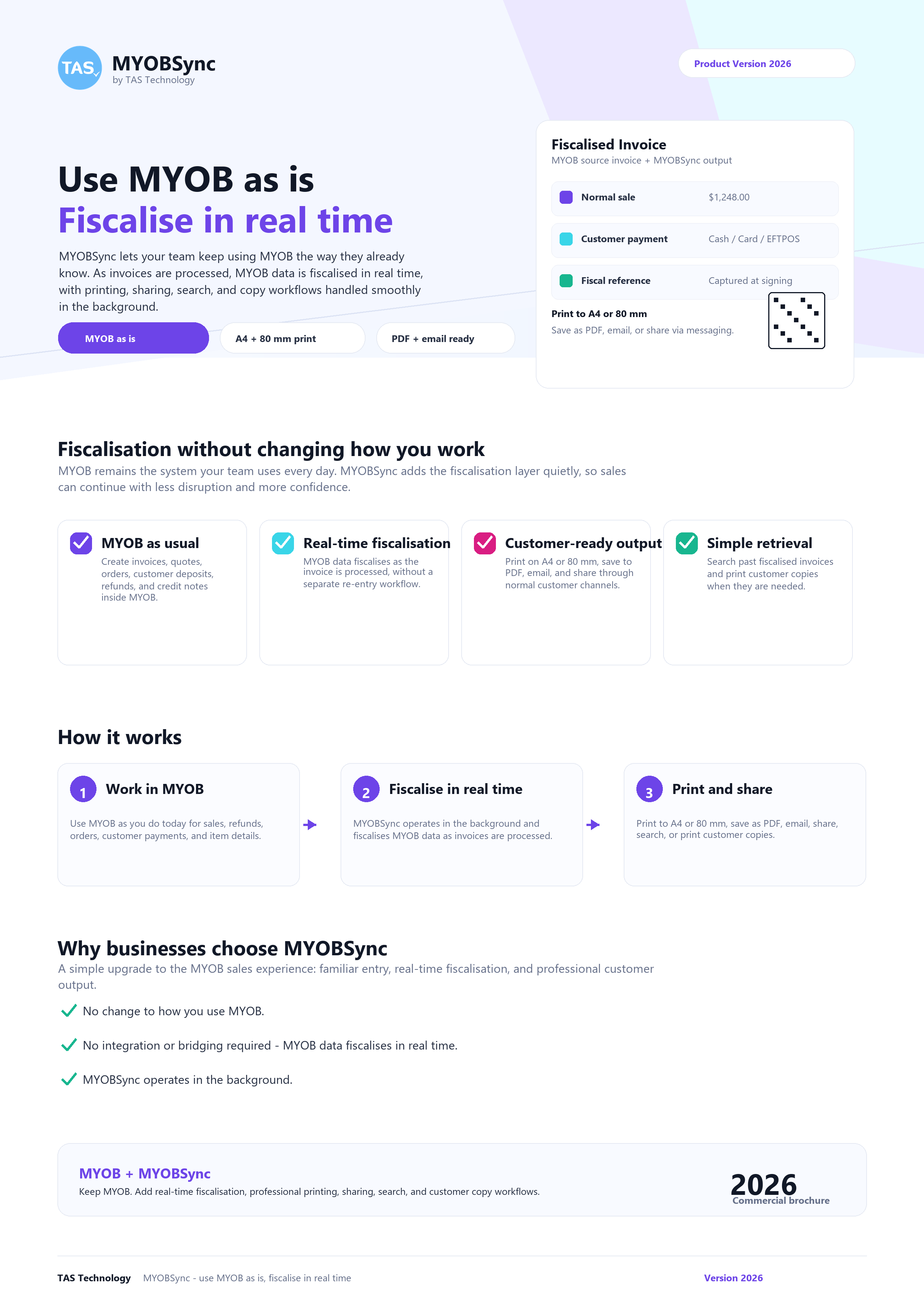
2026 commercial brochure
OneButton for MYOB + MYOBSync
Keep MYOB. Add real-time fiscalisation, professional printing, sharing, search, and customer copy workflows.
MYOB-connected training
Training content from TAS Academy, built into the VMSforMYOB offer
Eligible VMS or MYOB product purchases can include MYOB-connected training so the team gets practical workflow guidance and clear completion documentation.
Comprehensive curriculum
MYOB setup and customisation, invoices, bills, expenses, payroll, employee management, reporting and advanced efficiency tips.
Flexible learning
Online training, in-person workshops or blended delivery can be discussed during onboarding.
Practical completion path
Hands-on training supports the VMSforMYOB rollout, with completion documentation confirmed during onboarding.
MYOB Masterclass topics
Setting up and customising your MYOB account
Managing invoices, bills and expenses
Payroll processing and employee management
Generating financial reports and insights
Advanced MYOB features and efficiency tips
VMSforMYOB invoice and customer-output workflow
Welcome to TAS Academy
MYOB online training
MYOB solution overview
Customer onboarding
Sign up once, then TAS confirms the next step
Tell TAS about your MYOB setup, invoice volume, offer interest, training needs and any existing customer support requirement.
Submit business details
Tell TAS how your business currently uses MYOB and what help you need first.
Confirm eligibility
TAS checks MYOB product fit, OneButton for MYOB setup needs, training path and offer eligibility.
Schedule onboarding
Training, setup review and customer sign-in/support help are scheduled around your team.
Complete training
Completion documentation is confirmed after the agreed training session.
Trusted across business workflows
TAS brings practical MYOB, training and implementation experience
OneButton for MYOB sits inside TAS Technology's broader work with business systems, MYOB workflows, software support and team training.
- Implementation support for accounting, sales and operational workflows.
- Training-led rollout so teams understand the MYOB process before go-live.
- Local support path for setup, onboarding and customer-ready output.
FAQ
Frequently asked questions
Do we have to stop using MYOB?
No. OneButton for MYOB keeps MYOB as the daily invoice workflow and adds the Fiji VMS fiscalisation action around it.
What does one button mean?
For the supported invoice workflow, the user starts fiscalisation from one action inside MYOB. OneButton handles the VMS steps and prepares the customer output without a separate re-entry screen.
Is OneButton for MYOB only for invoice fiscalisation?
The primary offer on this page is specifically invoice fiscalisation. TAS confirms the supported invoice types, trigger, output, MYOB product and implementation scope during readiness review.
How do OneButton and VMSforMYOB fit together?
VMSforMYOB is the Fiji-specific MYOB invoice fiscalisation solution customers may recognise. OneButton is the broader TAS platform behind MYOB, SalesRight and carefully scoped future fiscal workflows.
What is included in the training pathway?
Eligible VMS or MYOB product purchases can include MYOB-connected training support. TAS confirms training schedule, attendees and completion documentation during onboarding.
How are launch offers handled?
TAS confirms current MYOB software, VMSforMYOB and training offer eligibility during signup before any onboarding or payment step.
Is this official tax advice?
No. TAS supports the software and MYOB workflow side. Businesses should confirm statutory obligations with FRCS or their tax adviser.